GST State Code List (01 to 38) & 15-Digit GST Number Format Explained (2026 Guide)
Complete 01 to 38 GST State Code list with 15-digit GSTIN alphanumeric structure breakdown. Learn how the Modulo-36 checksum catches vendor billing errors, determines CGST/SGST vs IGST, and prevents fake invoice fraud.
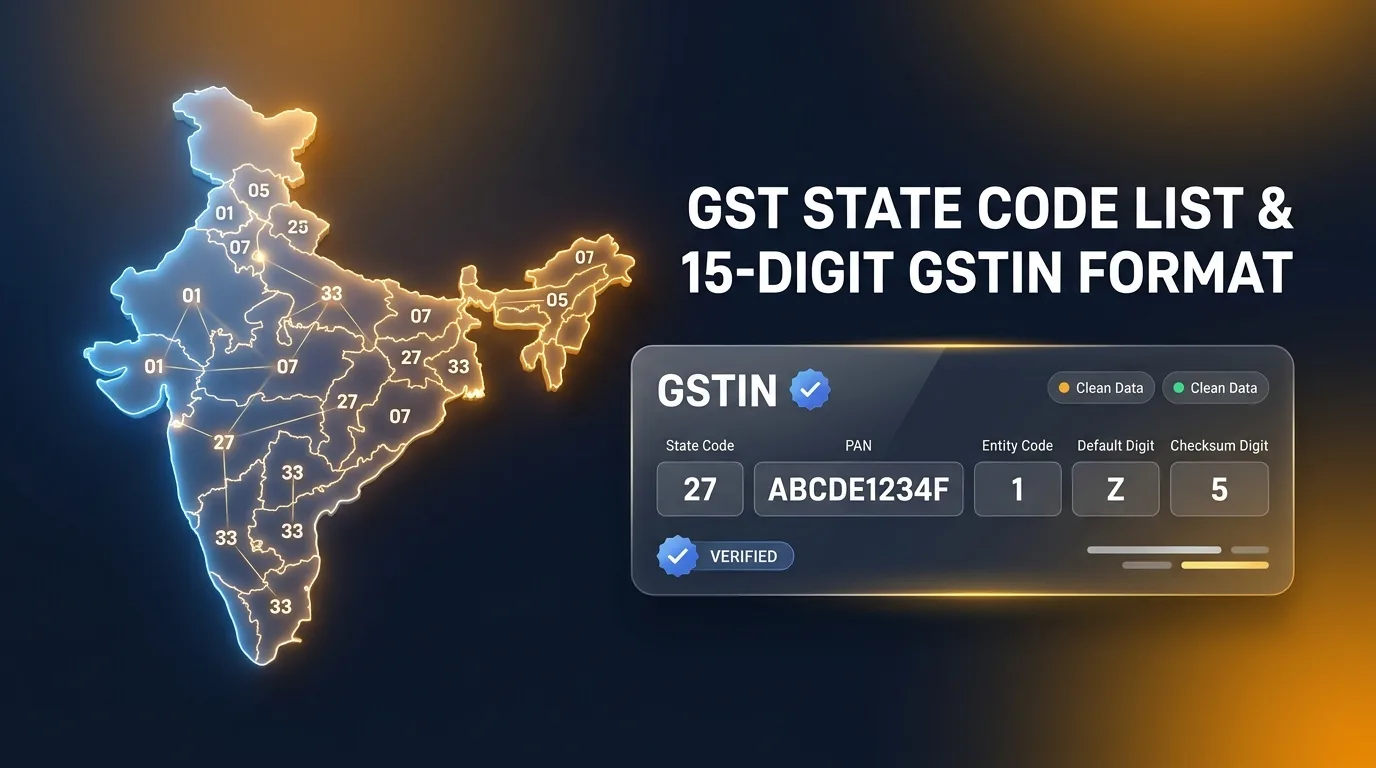
Complete 01-38 GST state code list and 15-digit GSTIN format breakdown. Learn how to verify state codes, PAN entity structure & detect fake GST numbers.
BLUF (Bottom Line Up Front): Every Goods and Services Tax Identification Number (GSTIN) in India is a 15-character alphanumeric identifier designed by the GST Network (GSTN). The first two numeric digits represent the GST State Code (ranging from 01 for Jammu & Kashmir to 38 for Ladakh). Digits 3 through 12 embed the legal entity's 10-character PAN, followed by a 1-character entity count code, the default alphabet 'Z', and a 15th checksum digit derived through a mathematical Modulo 36 algorithm. Correct state codes are the statutory pivot that determines whether a transaction attracts CGST + SGST (Intrastate) or IGST (Interstate). A single wrong state code or typo invalidates the invoice, blocks the buyer's Input Tax Credit (ITC) in GSTR-2B, and triggers statutory tax demand notices under Section 77.
Whether you are an MSME merchant issuing daily counter bills, an accountant auditing vendor masters, or an e-commerce seller setting up shipping logistics, understanding the GST state code list and the 15-digit GSTIN structure is essential for error-free compliance.
Under the Indian Goods and Services Tax regime, a taxpayer cannot legally issue a tax invoice without displaying their registered 15-digit GSTIN alongside the buyer's GSTIN (for B2B transactions). Yet, accounting departments across India lose lakhs of rupees every fiscal year because staff enter incorrect 2-digit state prefixes or manual typos, leading to severe GSTR-1 vs GSTR-3B reconciliation mismatches and rejected vendor payments.
In this definitive guide, we provide the complete official GST state code list (01 to 38), unpack the exact character-by-character anatomy of a GSTIN, reveal how the mathematical Modulo-36 checksum catches typographical errors, and show you how to audit vendor GST numbers in seconds.
Complete GST State Code List (01 to 38) & Union Territories
Under GST law, state codes are assigned based on the official Indian Census code classification. Below is the master reference table containing all active 2-digit GST state codes, their official state alpha abbreviations, capital hubs, and statutory jurisdictional notes.
| GST State Code | State / Union Territory (UT) | State Alpha Code | Administrative Status | Jurisdictional & Merger Notes |
|---|---|---|---|---|
| 01 | Jammu and Kashmir | JK | Union Territory | Bifurcated under J&K Reorganisation Act, 2019 |
| 02 | Himachal Pradesh | HP | State | Northern Zone |
| 03 | Punjab | PB | State | Northern Zone (03 GST State Code) |
| 04 | Chandigarh | CH | Union Territory | Joint Capital Administration |
| 05 | Uttarakhand | UK | State | Formerly Uttaranchal |
| 06 | Haryana | HR | State | NCR Border Zone |
| 07 | Delhi | DL | Union Territory (National Capital Territory) | NCT Delhi Administration |
| 08 | Rajasthan | RJ | State | Western Zone |
| 09 | Uttar Pradesh | UP | State | Northern Zone |
| 10 | Bihar | BR | State | Eastern Zone |
| 11 | Sikkim | SK | State | Special Category State |
| 12 | Arunachal Pradesh | AR | State | North-Eastern Zone |
| 13 | Nagaland | NL | State | North-Eastern Zone |
| 14 | Manipur | MN | State | North-Eastern Zone |
| 15 | Mizoram | MZ | State | North-Eastern Zone |
| 16 | Tripura | TR | State | North-Eastern Zone |
| 17 | Meghalaya | ML | State | North-Eastern Zone |
| 18 | Assam | AS | State | North-Eastern Gateway |
| 19 | West Bengal | WB | State | Eastern Gateway |
| 20 | Jharkhand | JH | State | Eastern Mineral Belt |
| 21 | Odisha | OD | State | Formerly Orissa |
| 22 | Chhattisgarh | CG | State | Central Mineral Zone (22 GST State Code) |
| 23 | Madhya Pradesh | MP | State | Central Zone |
| 24 | Gujarat | GJ | State | Western Commercial Hub |
| 25 | Daman and Diu (Defunct) | DD | Merged | Merged into Code 26 w.e.f. 26 January 2020 |
| 26 | Dadra and Nagar Haveli and Daman and Diu | DN | Union Territory | Combined UT w.e.f. Jan 2020 under Notification 10/2020-CT |
| 27 | Maharashtra | MH | State | Financial Hub (Mumbai) |
| 28 | Andhra Pradesh (Old) | AP | Historic | Used prior to state bifurcation into Telangana |
| 29 | Karnataka | KA | State | Southern Commercial Hub |
| 30 | Goa | GA | State | Western Coastal Zone |
| 31 | Lakshadweep | LD | Union Territory | Island Archipelago |
| 32 | Kerala | KL | State | Southern Maritime Zone |
| 33 | Tamil Nadu | TN | State | Southern Industrial Zone |
| 34 | Puducherry | PY | Union Territory | Formerly Pondicherry |
| 35 | Andaman and Nicobar Islands | AN | Union Territory | Island Territory |
| 36 | Telangana | TS | State | Carved out of Andhra Pradesh in 2014 |
| 37 | Andhra Pradesh (Newly Formed) | AD | State | Residual Andhra Pradesh post-Telangana creation |
| 38 | Ladakh | LA | Union Territory | Operationalized w.e.f. 1 January 2020 |
| 97 | Other Territory | OT | Special Code | Continental Shelf & Exclusive Economic Zone (EEZ) |
| 99 | Centre Jurisdiction / Foreign Supply | CS | Special Code | Embassies, Specialized Agencies & Cross-Border Supply |
Critical Geographic & Regulatory Updates to Remember:
- The Merger of Code 25 into Code 26: On 26 January 2020, the Central Government merged the Union Territories of Daman & Diu and Dadra & Nagar Haveli into a single UT. As per CBIC Notification No. 10/2020 – Central Tax, all active taxpayers under old Code 25 were migrated to Code 26. Old Code 25 GSTINs are no longer active for new registrations.
- Andhra Pradesh vs Telangana (Codes 36 & 37): Following the bifurcation of Andhra Pradesh, Code 36 was assigned to the newly created state of Telangana, while Code 37 was assigned to the restructured state of Andhra Pradesh.
- Union Territory of Ladakh (Code 38): Consequent to the Jammu and Kashmir Reorganisation Act, 2019, Ladakh became an independent Union Territory without a legislature. The GST Council notified Code 38 for Ladakh, operationalized on 1 January 2020.
- Code 97 (Other Territory): Applicable for supplies occurring outside the territorial waters of any state but within India's 200-nautical-mile Exclusive Economic Zone (EEZ) (e.g., offshore oil drilling platforms or continental shelf operations).
Anatomy of the 15-Digit GST Number Format
The GST identification number (GSTIN) is not an arbitrary tracking string. It is a strictly standardized, 15-character alphanumeric code that encapsulates legal, geographical, and mathematical identity.
Let us dissect a representative sample GSTIN: 27AAPFU0939F1ZV
   27     AAPFU0939F     1      Z      V
 [----]  [----------]  [---]  [---]  [---]
 State    10-Digit     Entity Default Checksum
  Code    Business     Count  Letter   Digit
(Maha)      PAN         (1)    (Z)   (Mod-36)
Here is the exact character-by-character breakdown of this 15-character structure:
1. Digits 1 and 2: The State Code
- The first two numeric digits specify the physical state or Union Territory where the business establishment is registered.
- In our sample
27, this immediately identifies the business as registered in Maharashtra. - If a retail store in Ludhiana purchases goods from a supplier whose GSTIN begins with
03, the purchase is classified as an Intrastate Supply (Punjab to Punjab), attracting CGST + SGST. If the supplier's GSTIN begins with06(Haryana), the transaction is Interstate, attracting IGST.
2. Digits 3 to 12: The 10-Digit PAN of the Business
- Digits 3 through 12 represent the Permanent Account Number (PAN) issued by the Income Tax Department.
- In our sample:
AAPFU0939F. - Because the GSTIN directly embeds the PAN, no entity can register under GST without first obtaining an Income Tax PAN. This ensures unified national tax tracking between direct corporate tax and indirect GST revenue.
Decoding the 4th Character of the PAN (Entity Constitution):
The 4th character of the PAN (the 6th character of the GSTIN) explicitly reveals the legal constitution of the business:
P= Individual / Sole Proprietorship (e.g.,27AA**P**...means a proprietary Kirana store or retail trader).C= Company (Private Limited or Public Limited company).H= Hindu Undivided Family (HUF).F= Partnership Firm or Limited Liability Partnership (LLP).A= Association of Persons (AOP).T= Trust (Charitable or private trust).B= Body of Individuals (BOI).L= Local Authority (Municipal Corporation).J= Artificial Juridical Person.G= Government Agency.
Decoding the 5th Character of the PAN:
The 5th character of the PAN represents:
- For an Individual (
P): The first letter of the individual's Surname / Last Name. - For non-individuals (
C,F,H, etc.): The first letter of the legal entity's registered business name.
3. Digit 13: Entity Registration Count Within the State
- Character 13 is an alphanumeric digit indicating the serial number of registrations the same legal entity (same PAN) holds within that specific state.
- If a business owner opens their first retail store in Delhi, this digit is
1. - If the same proprietor opens a second independent store or branch office in Delhi under a separate GSTIN, the second registration gets
2, the third gets3, up to9. - Beyond 9 registrations in the same state, the sequence continues through the English alphabet:
A(10th registration),B(11th registration), up toZ.
4. Digit 14: The Default Statutory Character 'Z'
- Character 14 is the letter
Zby default for standard regular, composition, and SEZ taxpayers. - It acts as a blank reserved character for future GST Council enhancements. Note that for specialized tax deductors and government entities, alternate alphanumeric markers may appear.
5. Digit 15: The Modulo 36 Checksum Character
- The final 15th character is an alphanumeric digit (0 to 9 or A to Z) that acts as a mathematical cryptographic validation seal.
- It is derived from the preceding 14 characters using a specialized Modulo 36 Check Digit Algorithm.
- If a billing operator types even a single letter incorrectly or transposes two numbers (e.g., typing
27AAPFU0939Finstead of27AAPFU0993F), the resulting checksum calculation will mismatch, and modern billing software will flag the number as invalid before the bill can be saved.
How the Modulo 36 Checksum Algorithm Works
Why did the Indian GST Council select the Modulo 36 algorithm instead of the standard Luhn algorithm used on credit cards? Because a credit card number consists purely of numeric digits (0–9), whereas a GSTIN contains a hybrid mix of 36 alphanumeric symbols: the digits 0–9 (10 symbols) and letters A–Z (26 symbols).
The Modulo 36 check digit algorithm guarantees that:
- Single-character data entry typos (e.g., typing
Binstead of8orOinstead of0) are caught with 100% accuracy. - Transposition errors (e.g., typing
12instead of21) are detected immediately.
Mathematical Step-by-Step Calculation Formula:
-
Symbol Mapping (Base 36): Every character in the character set
0123456789ABCDEFGHIJKLMNOPQRSTUVWXYZis assigned an integer index:'0'= 0,'1'= 1, ...'9'= 9'A'= 10,'B'= 11, ...'Z'= 35
-
Weight Assignment: Starting from character 1 to character 14, an alternating weighting multiplier ($w_i$) of 1 and 2 is applied to each character's integer value.
-
Product & Base-36 Reduction: For each position $i$: $$\text{Product } P_i = \text{Value}_i \times w_i$$ The product is converted into base-36 units by adding the quotient and remainder: $$\text{Hash}_i = \lfloor P_i / 36 \rfloor + (P_i \bmod 36)$$
-
Summation & Modulo Calculation: Sum all 14 processed hashes: $$\text{Total Sum } S = \sum_{i=1}^{14} \text{Hash}_i$$ Compute the remainder modulo 36: $$\text{Remainder } R = S \bmod 36$$
-
Derivation of Check Digit: $$\text{Check Digit Value} = (36 - R) \bmod 36$$ The resulting numeric value is converted back to its alphanumeric character representation. This character becomes the 15th digit of the GSTIN.
When your cashier inputs a supplier or customer GSTIN into modern billing software like SuperBiller Cloud POS, this exact mathematical formula runs in under 2 milliseconds in the browser background. If the 15th digit does not match, the software immediately alerts the user: "Invalid GSTIN Checksum. Please verify characters."
How State Codes Dictate Tax Determination: CGST + SGST vs IGST
In the pre-GST VAT era, businesses struggled with complex Central Sales Tax (CST) declarations, C-Forms, and state border check-posts. Under the unified GST model, tax determination is 100% automated based on state codes and the Place of Supply (POS).
The Core Tax Classification Matrix:
| Supplier Location (GSTIN Prefix) | Place of Supply / Recipient (POS Prefix) | Transaction Type | Applicable GST Components | Revenue Sharing Mechanism |
|---|---|---|---|---|
| 27 (Maharashtra) | 27 (Maharashtra) | Intrastate Supply | CGST (50%) + SGST (50%) | 50% to Central Govt + 50% to Maharashtra State Govt |
| 07 (Delhi) | 07 (Delhi) | Intrastate Supply | CGST (50%) + UTGST (50%) | 50% to Central Govt + 50% to Delhi UT Administration |
| 03 (Punjab) | 06 (Haryana) | Interstate Supply | IGST (100%) | 100% Integrated Tax collected by Centre; settled to destination |
| 24 (Gujarat) | 33 (Tamil Nadu) | Interstate Supply | IGST (100%) | 100% Integrated Tax collected by Centre; settled to destination |
The Critical "Place of Supply" Trap That Destroys B2B ITC:
One of the most dangerous compliance traps occurs when a supplier inadvertently charges CGST + SGST instead of IGST on an interstate transaction.
Real-World Scenario:
- A software firm in Bengaluru (GSTIN: 29AAAAA0000A1Z5) issues an annual SaaS invoice of ₹1,00,000 + 18% GST (₹18,000) to a retail supermarket chain in Mumbai (GSTIN: 27BBBBB0000B1Z2).
- The Error: The billing clerk fails to change the default state code in their software and bills it as a local Karnataka transaction, applying 9% CGST (₹9,000) + 9% SGST (₹9,000) with Place of Supply marked as 29 (Karnataka).
- The Catastrophic Result for the Buyer:
- Under Section 16(2) of the CGST Act, a registered person in Maharashtra (Code 27) cannot claim Input Tax Credit of Karnataka SGST (Code 29)!
- The ₹18,000 tax credit is completely blocked in the buyer's GSTR-2B under the "Ineligible ITC" section.
- The Mumbai supermarket loses ₹18,000 in legitimate tax savings unless the supplier cancels the bill and issues a revised credit note and fresh IGST invoice under Section 34.
Using an intelligent billing tool like SuperBiller's Free GST Invoice Generator prevents this mistake permanently because selecting the buyer's state code automatically locks the correct tax heads (CGST/SGST vs IGST) without manual cashier interference.
3-Step Audit: How to Spot Fake GST Numbers in 10 Seconds
According to enforcement releases from the Directorate General of GST Intelligence (DGGI), tax authorities have detected over ₹50,000 crore in fraudulent Input Tax Credit passed through circular trading and fake GST registrations.
Receiving a bill with a fake or inactive GST number can lead to severe consequences for your business:
- Complete disallowance of Input Tax Credit under Section 16(2)(c).
- Mandatory cash repayment of claimed ITC with 18% per annum interest under Section 50.
- Potential penalties up to 100% of tax evaded under Section 122.
Follow this 3-step audit checklist before releasing payment to any new vendor:
   STEP 1: Structural Audit (Length & Pattern)
     └── Must be exactly 15 characters
     └── Digits 1-2: Valid code between 01 and 38
     └── Digits 3-12: Valid 10-character PAN format
     └── Digit 14: Default letter 'Z'

   STEP 2: Modulo-36 Checksum Verification
     └── Calculate check digit from first 14 characters
     └── Match with the 15th character on the invoice

   STEP 3: Live GST Portal Status Verification
     └── Confirm legal name matches trade name
     └── Confirm status is 'ACTIVE' (Not Cancelled or Suspended)
     └── Check return filing history in GSTR-1 & GSTR-3B
1. Structural Regex Pattern Audit
Verify that the GSTIN conforms to the official government regex pattern: $$\text{Pattern: } \wedge[0-9]{2}[A-Z]{5}[0-9]{4}[A-Z]{1}[1-9A-Z]{1}Z[0-9A-Z]{1}$$
- If the number has 14 or 16 characters, it is fake or misprinted.
- If the first two digits are
00or exceed38(unless special codes97or99), it is fraudulent. - If character 14 is anything other than
Z(for regular commercial merchants), it warrants immediate verification.
2. Verify PAN Consistency via Free Tools
You can independently check whether the vendor's legal trade name and PAN match the invoice by using SuperBiller's Free GST Search by PAN Tool. It extracts the embedded 10-digit PAN and confirms taxpayer legitimacy instantly.
3. Check Live Portal Filing Status (services.gst.gov.in)
Navigate to Search Taxpayer > Search by GSTIN/UIN on the official GST portal. Confirm that:
- Taxpayer Status: Shows Active. If it shows Suspended or Cancelled Suo-Moto, do not accept the invoice, as your ITC will be frozen.
- Taxpayer Type: Verify whether the vendor is Regular or Composition. Note that Composition taxpayers (Section 10) cannot collect GST from customers or issue tax invoices!
How SuperBiller Automates GSTIN Verification & State Code Compliance
Managing hundreds of retail customers, wholesale distributors, and suppliers manually in Excel or desktop software inevitably leads to data corruption. SuperBiller incorporates enterprise-grade tax intelligence built directly into the billing counter:
- Auto-Fill via 1-Click GSTIN Fetch: Enter a 15-digit GSTIN, and SuperBiller automatically queries the official API to pull the verified Legal Business Name, Trade Name, Registered Address, Pincode, and Active Status in under 1 second.
- Zero-Error Tax Splitting: Based on the customer's state code prefix, SuperBiller dynamically applies CGST + SGST (Local) or IGST (Interstate) and populates the statutory Place of Supply on every printed or thermal invoice.
- Automated HSN & E-Way Bill Mapping: Interlinks with your product catalog, automates HSN code validation, and calculates road travel distances using our Pin to Pin Distance Calculator.
- Clean GSTR-1 JSON Exports: Generates error-free B2B and B2C sales registers that import into the government GST offline tool without a single schema rejection.
Related In-Depth Guides & Recommended Reading
To build complete mastery over Indian GST compliance and retail operations, explore our peer-reviewed guides in this cluster:
- 📋 GST Name Board & Signboard Rules (Rule 18) — Learn mandatory shop display formats, required dimensions, bilingual guidelines, and how to avoid the ₹25,000 Section 125 penalty.
- 📝 GST Consent Letter & Rent Agreement Format — Free downloadable Word and PDF templates for business premises NOC, owner consent, and rental agreements.
- ⚖️ GST Set-Off Rules & Order of ITC Utilization (Rule 88A) — Master the strict legal sequence for setting off IGST, CGST, and SGST credits to minimize cash tax liability.
- 🚚 Job Work Under GST & SAC 9988 Delivery Challans — Comprehensive rules for sending materials to job-workers using Rule 55 delivery challans and e-way bills without charging GST.
- ❌ How to Cancel GST Registration & File REG-21 Revocation — Complete step-by-step procedure to surrender an inactive GSTIN, reverse input tax on closing stock, and revoke suo-moto cancellations.
Frequently Asked Questions (FAQs)
1. What is the state code for Delhi under GST?
The official GST state code for Delhi (National Capital Territory) is 07. Every registered taxpayer operating from Delhi has a 15-digit GSTIN beginning with 07 (e.g., 07AAAAA0000A1Z5). Transactions between two Delhi GSTINs attract local CGST and Delhi UTGST.
2. What are the GST state codes for Punjab and Chhattisgarh?
The GST state code for Punjab is 03 (03 GST state code), and the state code for Chhattisgarh is 22 (22 GST state code). Supplies between Punjab (03) and Chhattisgarh (22) are classified as Interstate supplies and attract Integrated Goods and Services Tax (IGST).
3. What happened to GST State Code 25 (Daman and Diu)?
Effective from 26 January 2020, the Union Territories of Daman & Diu and Dadra & Nagar Haveli were merged into a single administrative Union Territory. As notified by CBIC Notification No. 10/2020-CT, Code 25 was retired, and all existing taxpayers in Daman and Diu were transitioned to Code 26 (Dadra and Nagar Haveli and Daman and Diu).
4. What does the 14th character 'Z' in a GSTIN represent?
The 14th character of a GSTIN is fixed as the letter Z by default for standard commercial taxpayers. It serves as a statutory placeholder reserved by the GST Council for future entity differentiation or system enhancements.
5. Can a business have more than one GST number on the same PAN?
Yes! A business entity with a single PAN can have multiple GSTINs under two circumstances:
- Multi-State Operations: GST registration is state-specific. If a company operates offices or warehouses in Maharashtra, Gujarat, and Delhi, it must obtain separate GSTINs beginning with
27,24, and07respectively. - Multiple Verticals in the Same State: Under CGST Rule 11, a taxpayer can obtain separate GSTINs for distinct business branches or verticals within the same state. The 13th digit of the GSTIN differentiates these registrations (e.g.,
1for branch 1,2for branch 2, etc.).
6. How is the 15th checksum character calculated in a GSTIN?
The 15th character is calculated using the Modulo 36 check digit algorithm. Each of the first 14 alphanumeric characters is converted to a base-36 numerical value (0–9 = 0–9, A–Z = 10–35), multiplied by alternating weights (1 and 2), and aggregated through a modular arithmetic formula. The resulting control value determines the final check digit, ensuring that typing mistakes on invoices and vendor masters are caught immediately.
Statutory References & Official Government Sources
To maintain rigorous legal accuracy and compliance with CBIC directives, verify your business workflows against these official statutory publications:
- Central Board of Indirect Taxes and Customs (CBIC): Official portals and circular notifications — cbic.gov.in
- Goods and Services Tax Portal (GSTN): Master taxpayer directory and state jurisdiction search — services.gst.gov.in
- GST Council of India: Official recommendations, state code gazette notifications & rate schedules — gstcouncil.gov.in
- Notification No. 10/2020 – Central Tax (Dated 21 March 2020): Special procedure for taxpayers in Dadra & Nagar Haveli and Daman & Diu.
- Section 25 of the CGST Act, 2017 & Rule 8 of the CGST Rules, 2017: Statutory provisions governing application and structure of GST registration numbers.
This guide is authored by the SuperBiller Tax & Retail Operations Desk and fact-checked against official Central Board of Indirect Taxes and Customs (CBIC) circulars, the CGST Act 2017 (Rule 46 & Section 31), and latest GST Council threshold updates. SuperBiller provides MSMEs with compliant billing technology, 80mm thermal printing, and automated tax workflows.
Ready to automate your GST Billing & 80mm POS?
Generate your first tax invoice in under 30 seconds. 100% offline-ready.


